Creating PDF Reports
Create a PDF version of your app to share offline if you have a Pro plan (or higher).
To create a PDF report:
-
From the App Summary page, select Create a PDF report () in the top right corner.

-
Customize your report:
- Content - Select which items to include using the checkboxes. The content list includes charts and components from your app, as well as a title page, table of contents, and overview. Drag components to reorder them. Select a chart to adjust its dimensions or add a description
- Page Settings - Set page size, orientation, and margins
- Document Info - Add title, author, and other metadata
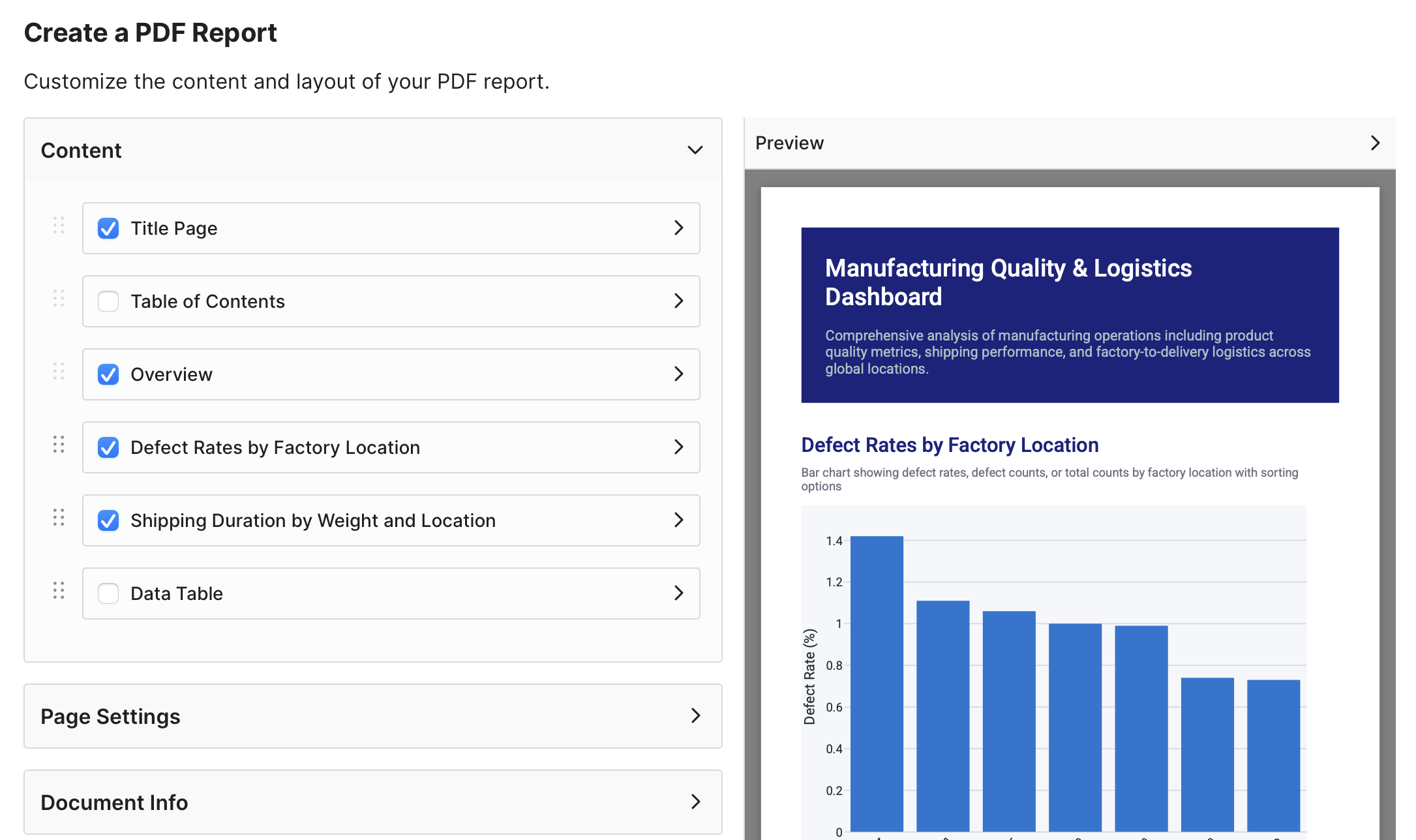
Use the Preview panel on the right to see your changes as you make them.
-
Select Export PDF to generate and download your PDF.
