Projects
In Plotly Studio, a project holds your app's data, the prompts used to generate the app, and generated code.
Projects are automatically saved as you work, so you can leave a project and return to it later. Draft projects (projects that don't have an app generated yet) appear in your projects list alongside completed apps.
You can also set up Custom Context to define preferences, like chart styling, date formats, or branding, that the AI applies across all your projects.
Creating a project
From the Projects page, select a team for your new project. You must have the Creator role within this team to create a new project.

Then select + New Project to create a new project. This takes you to the Data tab where you can add and transform your data before generating an app.

Managing projects
Select on a project card to access options for managing an existing project.
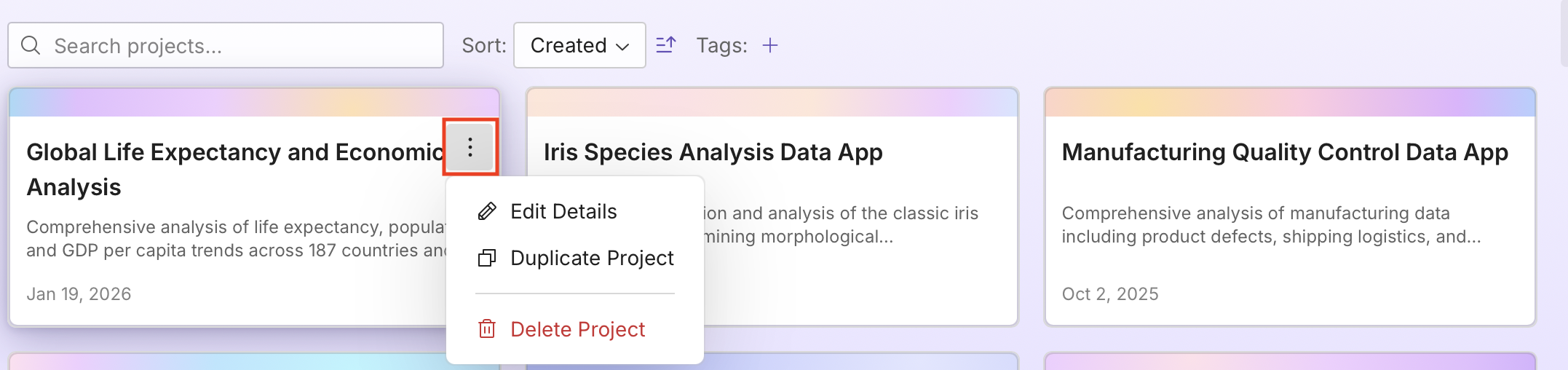
- Edit Details - Update a project's title, description, and tags.
- Duplicate Project - Create a copy with all the same data, prompts, generated code, and tags. Projects can only be duplicated in the team that the original belongs to.
- Copy to Team - Copy a project to a different team. See Copying a project to another team for details.
- Delete Project - Permanently remove a project.
Copying a project to another team
If you belong to more than one team, you can copy a project from one team to another. You must have the Creator role on both the original and target teams.
To copy a project to another team:
- Select Copy to Team from the project menu.
- Choose the Target Team from the dropdown.
- Set a New Project Name for the copy.
- Optionally, select Delete original project after copying to delete the original project.
- Select Copy Project.
The copied project includes all data, prompts, generated code, and tags from the original project. Publishing history is not copied — the new project starts as unpublished.
Tags
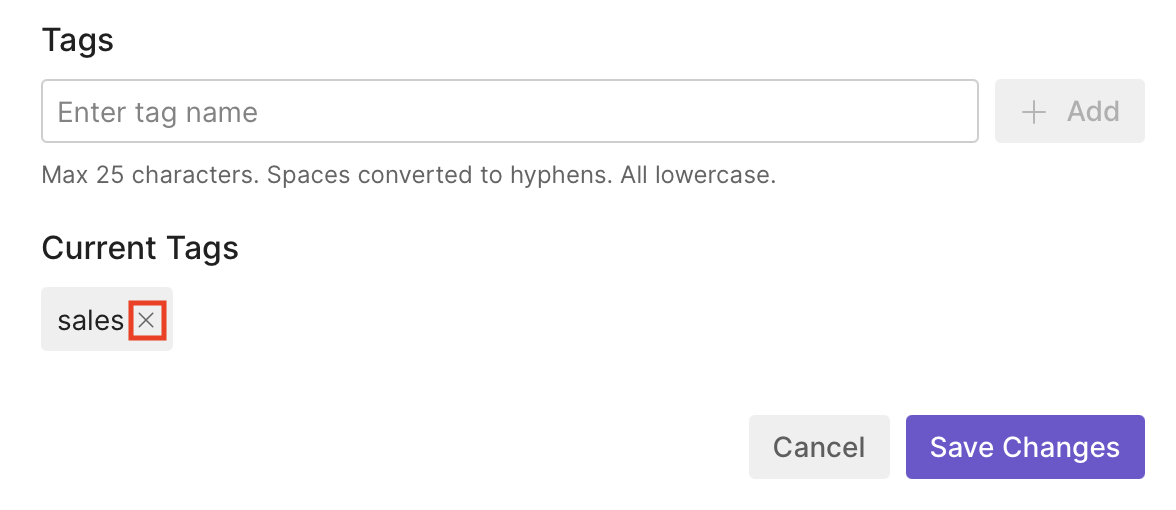
To add a tag, type the tag name in the Tags field and press Enter. You can add multiple tags to a project. To remove a tag, select the x on the tag.
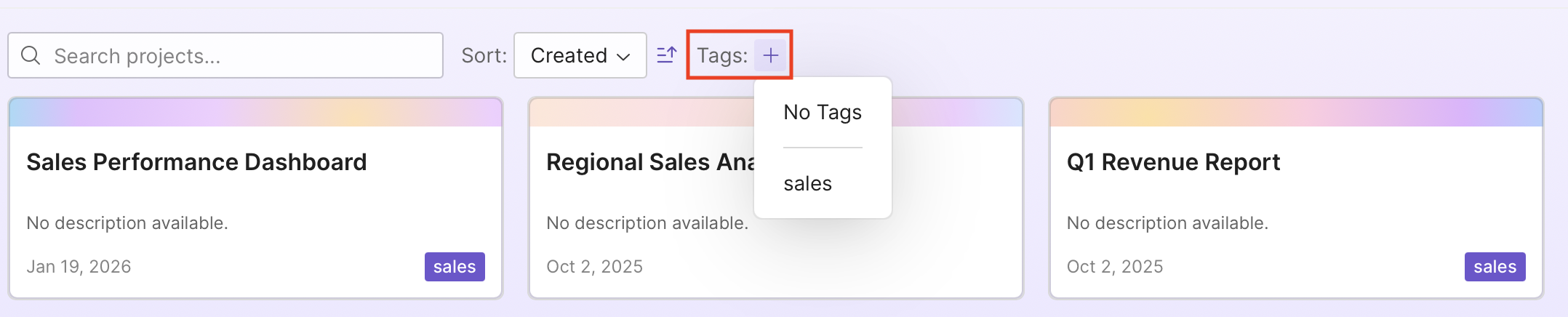
To filter projects, select + next to Tags on the Projects page and choose a tag from the list.