Skills
Skills are reusable prompts you can save, customize, or write to speed up common tasks in a session.
Use skills to:
- Instruct Plotly Studio on how to connect to your data source and reduce setup time in new sessions.
- Apply stylistic guidelines to a data app.
- Run a predefined query for repeat analysis when data changes.
- Standardize recurring analysis workflows across projects.
Use skills in a session
There are two ways to use skills:
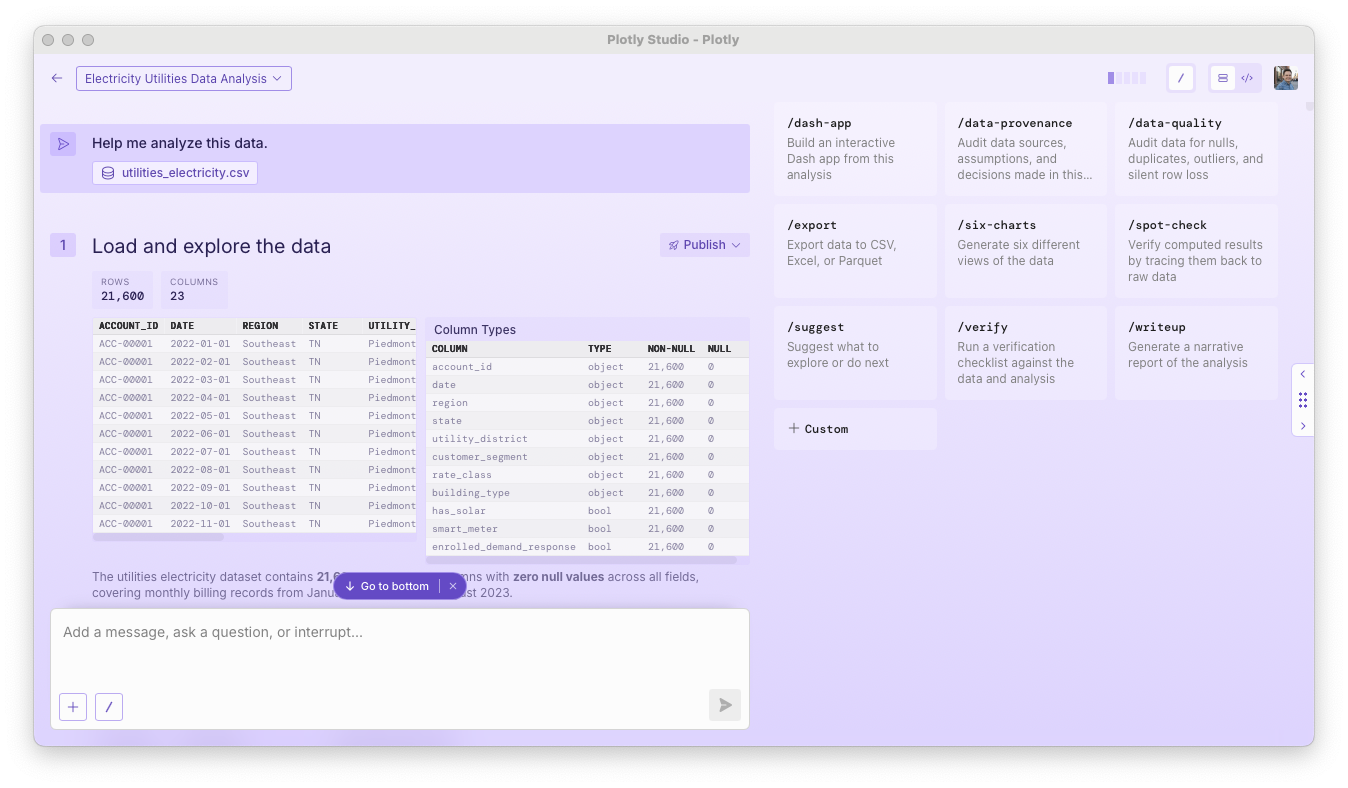
Open the Skills panel in a session to browse and select available skills.

Type a slash command directly in the prompt box (for example, /suggest).

Built-in skills
The following skills are available by default:
/dash-app: Build a data app for the analysis in the current session./data-quality: Audit data for nulls, duplicates, outliers, and silent row loss./export: Export data to CSV, Excel, or Parquet./six-charts: Generate six different views of your data to get started quickly./spot-check: Verify computed results by tracing them back to raw data./suggest: Suggest what to explore or do next./verify: Run a verification checklist against your data and analysis./view-assumptions: Audit data sources, assumptions, and decisions made in the analysis./writeup: Build a report based on the analysis in the current session.
Create your own skill
You can create custom skills for your own workflow.
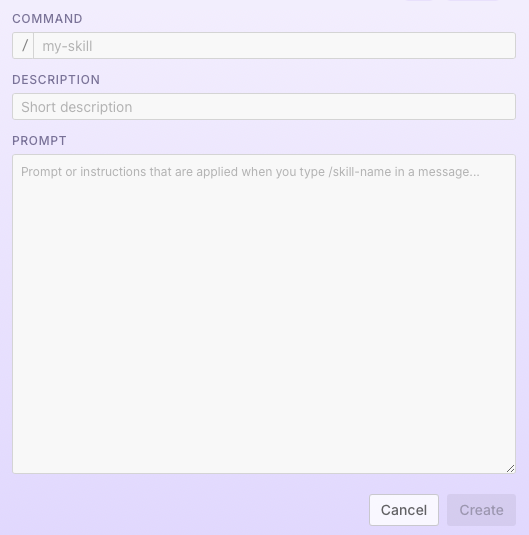
- In a session, open Skills > + Custom.
- Enter a name as lowercase text, with words separated by hyphens. This becomes the slash command.
- Enter a short description.
- Write or paste reusable prompt instructions, then Create.
Tips
- Number your instructions to run multiple steps in sequence.
- Write "ask the user" to have the skill prompt the user for input.
- Specify whether to use code, and include code snippets if needed.
- Emphasize multi-step execution in your prompt to avoid everything executing in a single step.
- Skills can enforce specific output types, like apps, charts, or reports.